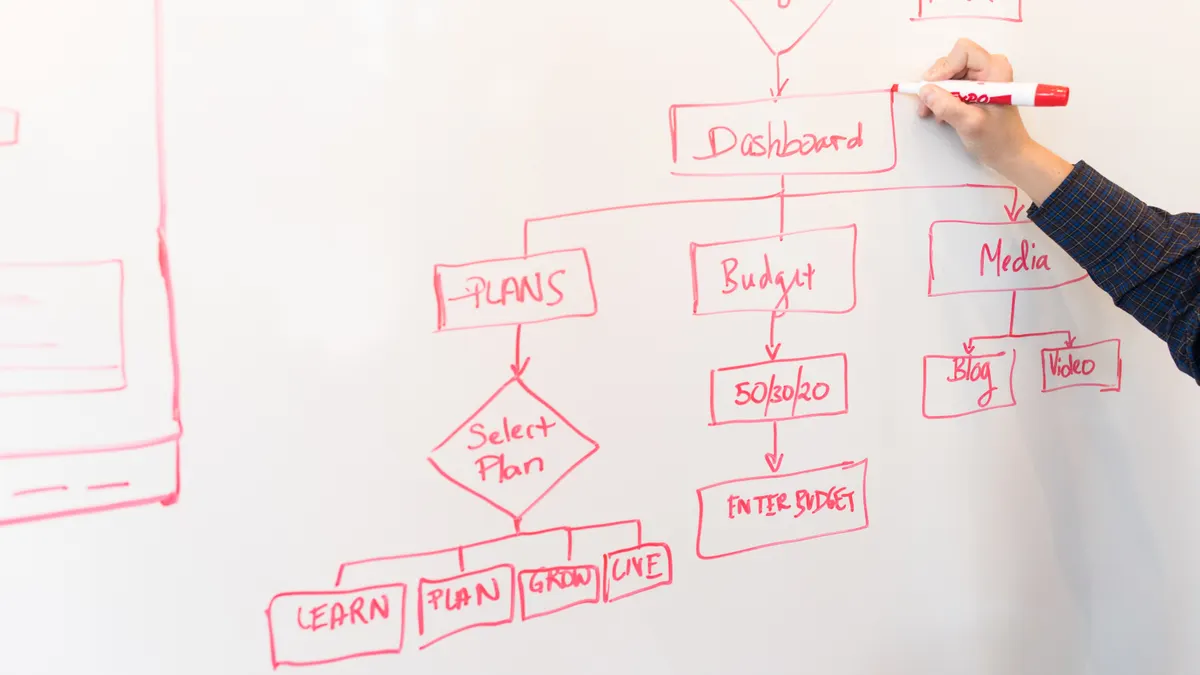
Last updated: October 11, 2026
Key Takeaways
- Answer engines favor pages that state one claim clearly, support it quickly, and stay easy to parse.
- You lead with a brief answer, then make the next layer scannable and simple to extract.
- You begin with one question, not a bundle of loosely related keywords.
- You build the answer block first because it is the part most likely to be quoted or summarized.
If you want a page to show up in answer engines, write it so the engine can lift a clean, direct answer in the first 40 to 80 words, then back it up with structure, source signals, and plain language that removes doubt. This article is about how to optimize a page for answer engines step by step. That is the short version. The longer version is below, because the difference between a page that gets quoted and a page that gets ignored is usually a few precise choices, not a total rewrite.
What answer engines are actually looking for
Answer engines favor pages that make one claim clearly, support it fast, and keep the rest of the page easy to parse. If your page buries the point under branding, long throat-clearing, or clever writing, it loses to a page that states the thing plainly and organizes the evidence around it.
This matters most when the query is a question with a single best response, like “how do I reset a router,” “what is a 301 redirect,” or “how to optimize a page for answer engines step by step.” If the searcher wants a process, the page needs a process. If the searcher wants a definition, the page needs a definition. If the searcher wants both, the answer comes first and the explanation follows.
I would start with one test: can a stranger read the opening paragraph and repeat the answer in one sentence? If not, the page is not ready.
A useful page also gives answer engines something to trust. That means:
- a descriptive H1 and H2s that match the topic
- short paragraphs
- specific terms instead of fuzzy marketing language
- evidence from standards bodies, official documentation, or recognized professional sources
- no detours before the main point
For source quality, I look for pages from organizations such as Google Search Central, schema.org, and W3C rather than opinion posts. The point is not to pile up links; it is to show the page sits inside a known technical vocabulary.
Quick check: if your page can be summarized as “it explains X, then shows Y, then warns about Z,” you are on the right track.
How to optimize a page for answer engines so an answer engine can quote it?
You structure it so the first answer is short, the next layer is scannable, and the supporting detail is easy to extract. That usually means one direct answer block, a few tightly named sections, and a page layout that does not force the reader through a wall of prose.
Here is the workflow I would use for a new page or a rewrite:
- Write one sentence that answers the target question in plain English. Keep it under about 40 words if possible.
- Place that sentence in the first paragraph, not after a long intro.
- Use an H2 that matches the main intent naturally, such as “How do I optimize a page for answer engines?”
- Break the process into 5 to 7 steps, each with one job only.
- Add one table that compares situations, because answer engines and human readers both do better with clear branching logic.
- Include supporting terms that matter to the topic, like structured data, crawlability, headings, and entity clarity.
- End with a compact FAQ so the page can catch long-tail questions without adding fluff to the body.
The mistake I see most often is over-explaining the definition and under-explaining the mechanics. A page about answer engines does not need a paragraph of philosophy. It needs an answer box mindset: front-load the result, then prove it.
| Situation | Best Path | Why Other Options Fail |
|---|---|---|
| You have one clear question page | Put the answer in the opening paragraph and support it with 5–7 steps | A long intro delays the extractable answer |
| You have a broad topic page | Split it into sections by sub-question | One blended page becomes too vague to quote cleanly |
| You have a product or service page | Add concise FAQ blocks and comparison language | Pure sales copy rarely matches the query shape |
| You need technical credibility | Use schema, source links, and precise terminology | Generic claims do not give answer engines enough trust signals |
Quick check: if the page can be skimmed in 30 seconds and still make sense, the structure is doing its job.
Step 1: Decide the single question the page must answer

You start by choosing one question, not a cluster of loosely related keywords. If the page tries to answer five different things, it usually answers none of them well.
For this topic, the core question is: how does a page get built so an answer engine can understand, trust, and quote it? That is the question to serve. Everything else is secondary.
If the page is for beginners, the answer should stay simple and practical. If the page is for SEO teams, you can name schema types, heading patterns, and indexation checks. But even then, one page needs one main job. A page that tries to be the tutorial, checklist, glossary, and trend report at once usually becomes thin.
Here is the branch point:
- If the page targets a quick answer query, lead with the answer and keep the body tight.
- If the page targets a how-to query, give a sequence the reader can follow in order.
- If the page targets a comparison query, set up a decision table early.
- If the page targets a troubleshooting query, start with symptoms and fixes, not theory.
I would avoid the common trap of chasing terms like “AI search” and “answer engine optimization” without deciding which user problem is real. The engine does not reward topic drift. It rewards a page that resolves one intent cleanly.
A practical filter: if a paragraph does not help the reader choose, do, verify, or fix something, cut it.
Quick check: if you cannot finish the sentence “this page exists to help someone who wants to ___,” the page is too broad.
Step 2: Build the answer block first, not last
You build the answer block first because it is the part most likely to be quoted or summarized. That block should sit high on the page and answer the question in direct language, without setup.
A good answer block usually contains:
- the direct answer in one sentence
- one short explanation of why that answer is correct
- one or two terms that anchor the topic
- a clue about the next step
For example, a page on this topic might say that optimization means making the page easy to extract, easy to trust, and easy to parse. That is not poetic, but it is useful. The sentence gives the engine a clean summary and gives the human a clear route forward.
Then use the next 2 or 3 paragraphs to add the details that matter most:
- a specific content format
- a specific heading pattern
- a specific schema or markup type if relevant
- a specific benchmark for readability or snippet style
If you are writing for a technical audience, mention standards rather than hype. Schema.org is the vocabulary for structured data. Google Search Central explains how search systems read content. W3C covers the HTML and accessibility basics that make a page easier to interpret. Those are the right kind of references because they are stable and checkable.
Do not hide the answer in a decorative intro. If the opening paragraph reads like a brand manifesto, the page has already lost most of its usefulness.
Quick check: if the first paragraph disappeared, would the page still have a clear answer? If not, move the answer higher.
Step 3: Add the signals that help answer engines trust the page
You add trust signals by making the page easy to verify, not by stuffing it with praise for yourself. If the content is about process, evidence, or definitions, the page needs enough structure for a machine and a person to believe it.
The strongest signals are usually simple:
- a clean title that matches the query
- headings that mirror sub-questions
- source citations to real standards or documentation
- structured data where appropriate
- consistent terminology
- accessible HTML, including proper heading order
If you can mark up the page with FAQPage, HowTo, Article, or Product schema and it truly fits the content, do it. If it does not fit, do not force it. Bad schema is worse than no schema. Schema.org is the reference point here, and Google Search Central documents which types are supported in search features.
This is also where page quality matters more than page length. A 900-word page with crisp structure can beat a 2,500-word page full of repetition. Answer engines are not impressed by bulk. They want clarity.
There is one honest limitation worth saying out loud: not every page is a good candidate for answer-engine optimization. A highly visual portfolio, a deeply opinionated essay, or a page meant to persuade over time may not benefit much from rigid answer formatting. In those cases, forcing a summary-first structure can flatten the page.
Quick check: if the page can be understood without reading every sentence, the signals are probably strong enough.
What changes if the page is commercial, editorial, or support content?
The right format changes with the page type, and that is where generic advice goes wrong. A support page, a blog tutorial, and a landing page need different kinds of answers.
| Situation | Best Path | Why Other Options Fail |
|---|---|---|
| Support page | Use problem-solution steps, screenshots, and exact labels from the product UI | Marketing copy gets in the way of the fix |
| Editorial guide | Lead with the answer, then give examples, trade-offs, and sources | A soft intro delays the useful part |
| Product page | Put specs, compatibility, and comparison points near the top | Vague benefit language does not match the query |
| Local service page | Add service area, pricing signals where appropriate, and clear FAQs | Generic local pages look interchangeable |
If the page is support content, answer engines tend to reward specificity. “Click Settings > Network > Reset” is more useful than “go to the relevant menu.” If the page is editorial, the engine needs a clear thesis and a tidy explanation. If the page is commercial, the page has to explain not just what the thing is, but when it is a fit and when it is not.
I would not write a commercial page like a blog post unless the query truly calls for research. Nor would I write a help article like a sales page. That mismatch is one of the fastest ways to miss the intent.
Quick check: if the reader’s next action is different from your page type, the format is wrong.
Edge cases where normal advice breaks down
These are the cases where standard “answer engine optimization” advice needs a reset, because the query, page type, or topic changes the rules.
-
Situation: the page is for a regulated topic like health, finance, or legal advice.
What changes: trust requirements jump, and a neat answer is not enough.
What to do instead: state the general guidance, avoid hard promises, and cite authoritative bodies. Add a brief note that professional advice may be needed. -
Situation: the topic is highly subjective, like design taste or strategy opinions.
What changes: there may be no single correct answer.
What to do instead: frame the page around criteria, trade-offs, and decision rules rather than pretending there is one best method. -
Situation: the page is mostly visual, such as a gallery or before-and-after showcase.
What changes: the engine has less text to parse.
What to do instead: add concise captions, alt text, and a short intro that explains what the reader is seeing and why it matters. -
Situation: the query is time-sensitive, such as a product release or policy change.
What changes: freshness matters as much as structure.
What to do instead: date the page clearly, update the affected section first, and avoid burying current information under older context. -
Situation: the page is trying to rank for a broad head term with many meanings.
What changes: ambiguity weakens the response.
What to do instead: narrow the page to one interpretation and use examples that remove confusion. -
Situation: the page already ranks, but answer engines still ignore it.
What changes: the issue may be formatting, not topic choice.
What to do instead: tighten the opening, shorten the answer block, add subheadings that mirror user questions, and make the page easier to extract.
Quick check: if your topic has regulation, ambiguity, heavy visuals, or rapid change, do not copy a generic SEO template.
The step-by-step page optimization process I would use
Because the page also needs documentation and appropriate terminology, I would use this sequence in consultation with a qualified SEO or technical editor when the page covers regulated or high-stakes topics. For general informational pages, this workflow keeps intent first and markup second, which is the order that usually prevents wasted rewrites.
- Pick one primary question and one secondary question only.
- Write a 1-sentence answer that fits in the opening paragraph.
- Draft 4 to 6 H2 sections, each with one purpose.
- Add concrete examples, tools, or standards where they clarify the point.
- Insert one comparison table for situations that change the recommendation.
- Use schema that matches the content type, such as HowTo or FAQPage if it truly fits.
- Check the page for vague openers, duplicated points, and paragraphs that do not move the reader forward.
- Read only the headings and first sentences. If the flow is not obvious, revise again.
For tools, I would look at Google Search Central for guidance, schema.org for markup vocabulary, and browser-based accessibility checks for heading structure and alt text. A simple page can still be excellent if it is organized with discipline.
The biggest trade-off is speed versus completeness. A page built for answer engines can feel less playful and less expansive than a brand piece. That is the cost of being extractable. It is not for writers who want every paragraph to sparkle. It is for pages that need to be found, summarized, and trusted.
Quick check: if the page can survive a heading-only skim and still tell the story, the workflow is right.
Drafted with AI; not yet reviewed by a person.