Last updated: November 06, 2026
Quick answer: How to plan supporting articles that strengthen a hub page works best when each supporting article has one distinct job, one clear link target, and one place in the reading sequence. A strong supporting article plan starts with one rule: each page must do a different job for the hub, not repeat the same advice in fresh wording. If the plan for supporting articles is clear, the hub page gets depth, internal links make sense, and readers can move from broad guidance to the exact subtopic they need.
What a supporting article plan is supposed to do
A supporting article plan is the map that assigns one distinct job to each article around a hub page. It should tell you which topics deserve their own page, which page is the link target, and how the articles will sequence from broad to specific without crowding the hub with duplicate explanations.
Start with the hub page title and the core promise it makes. For example, if the hub is about AI answer-engine content architecture, the supporting articles should not all try to explain the whole framework again. One page might handle content sequencing, another page might handle link targets, and another might cover depth allocation. That division matters because a hub with 6 support pages that each cover the same 80% creates noise, not authority.
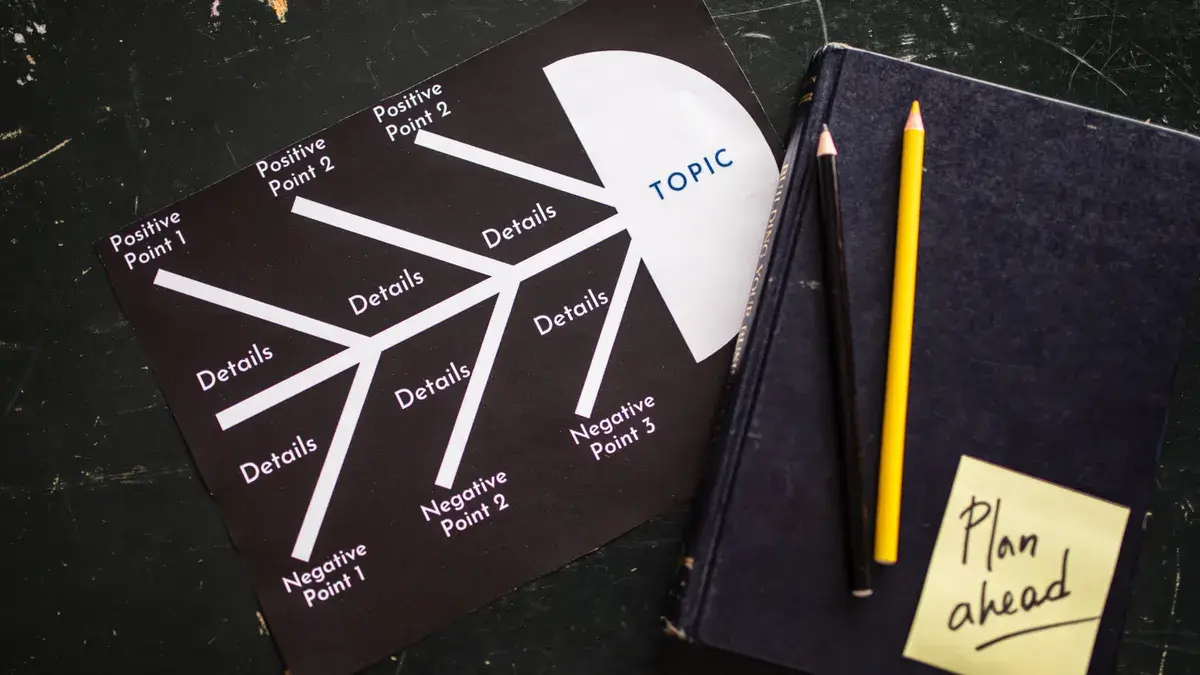
A useful plan usually has three columns: page role, topic angle, and primary link destination. The role describes why the page exists. The angle tells you what the page covers that no sibling page covers. The destination says where the article should point back to, usually the hub page and maybe one closely related sibling page if the site structure allows it.
This is the point most generic articles miss: supporting pages are not just extra pages. They are a system. A good plan gives the hub breadth across related questions and enough depth in each article that the hub does not have to carry every detail itself.
What should I decide before I plan supporting articles?
You should decide the hub’s boundaries, the reader’s next question, and the level of depth each page is allowed to own. Without those three decisions, the plan turns into a list of vaguely related ideas, and the result is duplication with better formatting.
Begin by writing one sentence that describes the hub’s job in plain English. If the hub is a 1,500-word page on AI answer-engine content architecture, its support pages need to answer the questions a careful reader asks after skimming the hub: What belongs on a support page? How do internal links point back to the hub? How many layers of detail belong on one page versus another? That sentence becomes the filter for every proposed topic.
Next, set the boundary by naming what this page will not cover. For this URL, do not expand into how to decide when a topic needs one page versus a cluster, how to map queries to AI search content clusters, or how to build topical authority around a niche for AI search. Those belong elsewhere. Leaving them out is not a gap; it protects the page from competing with sibling URLs.
Then assign a depth budget. A practical way to do this is to decide whether each supporting article should be shallow, medium, or deep before drafting. Shallow pages might run 700 to 1,000 words and cover one simple role. Medium pages may need 1,200 words. Deep pages should only exist when the topic has real moving parts, such as sequencing or page-role assignment. That budget helps prevent a common mistake: giving every article the same 1,200-word treatment even when one topic only needs 400 words and another needs 1,400; if that balance is uncertain, consult a professional content strategist or editor and use sources such as the Nielsen Norman Group’s guidance on content design and Google Search Central’s guidance on creating helpful content.
How do I choose supporting subtopics without overlap?
You choose supporting subtopics by grouping questions, then testing whether each page can stand on one clean promise. If two ideas need the same examples, the same definitions, or the same conclusion, they belong on one page or on different sites of the plan, not on two pages fighting for the same intent.
A practical way to do this is to list all candidate questions and sort them into three bins: strategic, structural, and executional. Strategic questions explain why the support page exists. Structural questions explain the role it plays in relation to the hub and other pages. Executional questions show how to build or use the page. On this topic, “what makes a good supporting article?” is strategic; “what is the right page role?” is structural; “how many support articles does a hub need?” is executional only if the article is about planning, not about site architecture at large.
Use a one-page test for every candidate. If you cannot explain the page in one sentence without using the same wording as another article, it is too close. For example, “supporting article plan” can cover page roles, link targets, and sequencing. A separate article could cover depth allocation in a more detailed way, but if both pages spend 600 words on the same example hierarchy, one of them is stealing the other’s job; if that split is unclear, consult a professional and check a credible source such as Google Search Central’s documentation on helpful, people-first content.
This is also where topic clusters help. The cluster is not a pile of related posts. It is a controlled sequence: the hub explains the big picture, the support pages handle the subtopics, and the internal links make the route obvious. If the plan cannot show that route in plain terms, the cluster is too loose.
Build the supporting article plan step by step

Build the plan by starting with the hub, then assigning one role to each supporting article, then sequencing the pages so the reader can move from general to specific without backtracking. A clean plan usually takes 30 to 60 minutes for a small cluster and longer for a larger one, because the hard part is not listing topics but pruning overlap.
-
Write the hub promise first. State the hub topic in one sentence and include the outcome it should deliver. When this works, you can see whether a proposed support page adds depth or just repeats the promise in different words.
-
List every question the hub cannot answer fully. Put down the follow-up questions a reader would ask after the hub page. If a question needs only a paragraph on the hub, leave it there; if it needs 800 words and a new angle, it is a support-page candidate.
-
Assign one page role to each question. Mark pages as definition, selection, sequencing, depth, or implementation support. A good result is that each page earns a different role instead of a different adjective.
-
Set the internal-link target for each page. Decide whether the article points to the hub, to a sibling page, or to both in a controlled order. When this step is done well, the link path matches the way a reader would naturally move through the topic.
-
Order the pages by reading sequence. Put the broadest support page first and the most specific page last. If the first article assumes knowledge the reader has not yet seen, the sequence is wrong.
-
Check for duplicate examples and duplicate subheads. Remove any page that relies on the same case, the same framework, or the same “how-to” structure as another page. When this works, the cluster feels like a set of parts, not five versions of the same essay.
-
Set a depth limit for each page. Decide what belongs on the page and what does not. A page about link targets should not also become a guide to content briefs; if it does, it will compete with its neighbors.
The result should look like a scaffold, not a content calendar. If you cannot point to each page and say, “This one exists to do X,” the plan is not finished.
How do internal links fit into the plan?
Internal links turn the support articles into a system, and the plan should decide the route before any draft is written. If the links are added later without a plan, the cluster usually ends up with random cross-linking and a hub that does not clearly own the subject.
Start with the hub page as the central destination. Every supporting article should link back to it in a place that makes sense for the reader, not just for the crawl. Then decide whether the supporting pages should also point to one another. Cross-links are useful when one subtopic naturally leads to another, but they are a bad idea when they create circles that blur the page roles.
A simple rule helps: one page should answer the current question and point to the next most useful question. On a cluster about supporting articles, a page about page roles might link to the hub and to a later page about sequencing. A page about sequencing might link back to the hub and forward to a page about depth allocation. That kind of chain gives the cluster shape.
Keep the anchor text plain. “Supporting article plan,” “hub page,” and “topic clusters” are strong because they describe the page’s actual job. Long, clever anchors usually make the link look less helpful, not more. The plan should also prevent over-linking. If a 900-word support page has six internal links, the page often stops reading like a guide and starts reading like a traffic sheet.
One useful check is to trace the path on paper. If a reader lands on any support page, can that person reach the hub in one click and understand why the page exists in the first place? If not, the internal-link plan is doing decoration instead of navigation.
What problems does a weak support-page plan create?
A weak support-page plan creates overlap, thin coverage, and a hub that looks broader than it is. The most common cost is duplication: two pages explain the same angle, compete for the same query, and weaken each other instead of reinforcing the hub.
The first mistake is making support pages too similar. This costs clarity and often leaves one page underused. The fix is to rewrite the page role until it answers a different question. If two pages both explain how to build a cluster, one of them should become a page about sequencing, or it should be removed.
The second mistake is leaving the hub to do all the real work. That happens when the support pages are too thin, often because the plan was built around page count instead of subject coverage. A hub with four shallow support articles rarely feels complete. Better to have three distinct support pages with clear depth than six empty ones that repeat the same paragraph about internal links.
The third mistake is treating depth as equal across all pages. A generic article might say every support page should be the same length. That is wrong. A page on support-page sequencing may need far more detail than a page on page roles, and a page on link targets may be short because the job is narrow. Equal length is a poor proxy for useful coverage; if the right depth is unclear, consult a professional and check a source such as the Nielsen Norman Group on content design.
The fourth mistake is skipping the sequence. If the reader lands on a deep subtopic before seeing the frame, the page feels disconnected. A plan should place the entry-level article first, then move toward more technical or specific pages. That structure is what makes a cluster feel intentional.
How do I know the plan is good enough to draft?
A good plan is good enough to draft when every support page has a distinct job, a clear link target, and a believable reading order. If you can state those three things in one line per page, the plan is probably ready.
Use a quick checklist before writing:
- Each page has one primary question.
- No two pages depend on the same outline.
- The hub does not need to re-explain the same subtopic.
- Every support page has a reason to exist even if the others are removed.
- The sequence moves from broad to specific in a way a reader would follow.
You can also stress-test the plan by cutting one page. If the whole cluster collapses, the pages were too dependent on each other. If the remaining pages still make sense, the structure is healthy. That kind of test matters because a support-page plan is not about maximizing volume; it is about making the hub more useful with each added article.
The best sign is practical rather than absolute: the hub should feel lighter after the support pages are outlined, not heavier. That means the load is spread correctly across the cluster, and each article owns a piece of the topic that the others do not.
Key Takeaways
A supporting article plan works when each page has one job, one audience need, and one clear place in the sequence. The plan should protect the hub from duplication, give internal links a purpose, and reserve depth for the pages that actually need it. If two pages can swap outlines without anyone noticing, the plan is not sharp enough yet.
- Start from the hub’s promise, then list only the questions it cannot answer well.
- Give every support page a distinct role, such as sequencing, page roles, or depth allocation.
- Use internal links to move the reader through the cluster in a logical order.
- Cut overlap early; a thin duplicate page weakens the whole system.
- Make the plan before drafting, not after.
If this page sits inside a broader site architecture, it supports the hub on AI answer-engine content architecture without trying to replace it.
What makes a good supporting article?
A good supporting article answers one narrow question better than the hub can. It has a clear role, enough detail to stand alone, and a link back to the hub that helps the reader move forward. If it only restates the hub in 800 different words, it is not a good support page.
How many support articles does a hub need?
A hub needs as many support articles as the topic genuinely requires, not a fixed number. Three strong pages can do more than eight weak ones if each has a different job. The right count depends on how many distinct questions the hub should hand off.
Should support pages rank on their own?
Support pages can rank on their own, but ranking should not be the only goal. A support page should be useful even when it brings traffic only as part of the cluster, because its real job is to deepen the hub and guide readers to the next step. That trade-off matters on any site with limited content budget.
Drafted with AI; not yet reviewed by a person.